Sign up for free on WunderTrading to access the platform and start using tools like the Spreads and Arbitrage terminal and bots.







The Spreads and Arbitrage terminal lets you trade the price difference between two assets instead of betting on market direction. Build futures spreads, run arbitrage across two exchanges, and place commission-saving two-leg entries — all from one interface.
No credit card required.



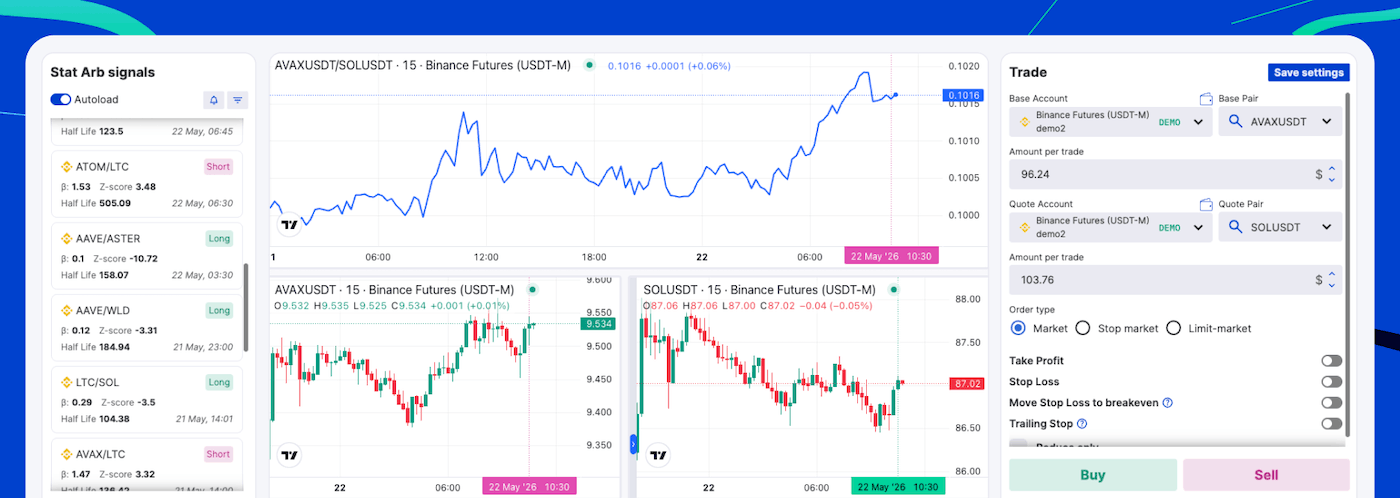
The terminal supports two strategy types — trade futures spreads between related assets, or run arbitrage across two exchanges.
In crypto, futures spread trading takes two forms. You can build a spread between two separate assets or futures contracts, such as ETH/BTC — similar to trading stock spreads. Or you can trade a calendar spread, buying and selling the same asset across different expiration dates to capture the difference in pricing between maturities.
The terminal displays the spread as a chart so you can follow the price relationship between the two legs in real time. Note that the chart reflects the movement of the spread, not the actual profit or loss of the funds invested in it — profit and loss are tracked separately in the Positions tab.
Arbitrage trading captures the price difference of the same coin across two exchanges — buy where it is cheaper, sell where it is more expensive, and profit from the gap. The same asset can trade at slightly different prices on different exchanges, and arbitrage turns that gap into profit.
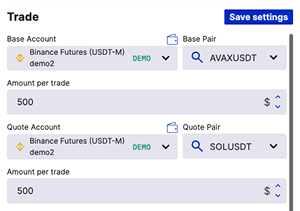
In the terminal you set a Base exchange where the asset is bought and a Quote exchange where it is sold, apply leverage where supported, and use a slider to allocate balance between the two legs. Both sides are executed as one strategy, so you enter and manage the arbitrage position from a single workspace.
Built for market-neutral execution across futures spreads and two-exchange arbitrage (Binance, Bybit, Hyperliquid and more).
Built-in Statistical Arbitrage Signals
Order types: Market, Stop Market and Two-Leg Entry
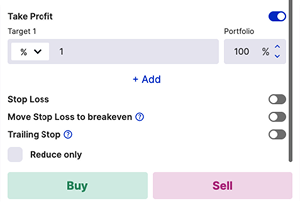
Take Profit, Stop Loss and Trailing Stop
Adjustable Spread Leg Allocation
For traders who want statistical arbitrage without manual monitoring, the Market Neutral Bot applies a mean-reversion approach to crypto futures pairs. It uses statistical models to standardize spread prices, watches for significant deviations, and opens a position when an outlier signals a likely reversion to the mean.


Start with a lifetime Free plan, or unlock advanced spread and arbitrage tools with PRO — try it free for 7 days, no credit card required.
Test spread and arbitrage strategies with paper trading before using real funds.
Upgrade to PRO to unlock multi-leg execution, cross-exchange arbitrage and automation in the Spreads and Arbitrage terminal.
Traders
Bots
30-day Volume
Trade all accounts simultaneously (applies to any single exchange per trade). See the full list of supported exchanges and features by exchange for more details.