



What are Crypto Pump Signals?
Trading Signals give you a fresh advantage in the crypto market. They track everything that matters — from price shifts to open interest — across the top trading pairs on Bybit Futures and Binance Futures. By watching the market tick by tick, minute by minute, they alert you the instant a promising move starts to form. Think of it as a sharp-eyed partner that keeps you in the right place at the right time, ready to step into profitable trades. Learn more about trade signals functionality.
The Significance of Open Interest
Open Interest isn't just a number. It's a beacon, guiding traders through the depths of market activity and liquidity. In the world of derivatives, understanding Open Interest can be the difference between a missed opportunity and a well-timed trade. Our Trading Signals feature leverages this, offering insights unavailable elsewhere.
How to Use Crypto Pump Screener for Swing Trades
- Navigate to the "Trading Signals" tab on WunderTrading.
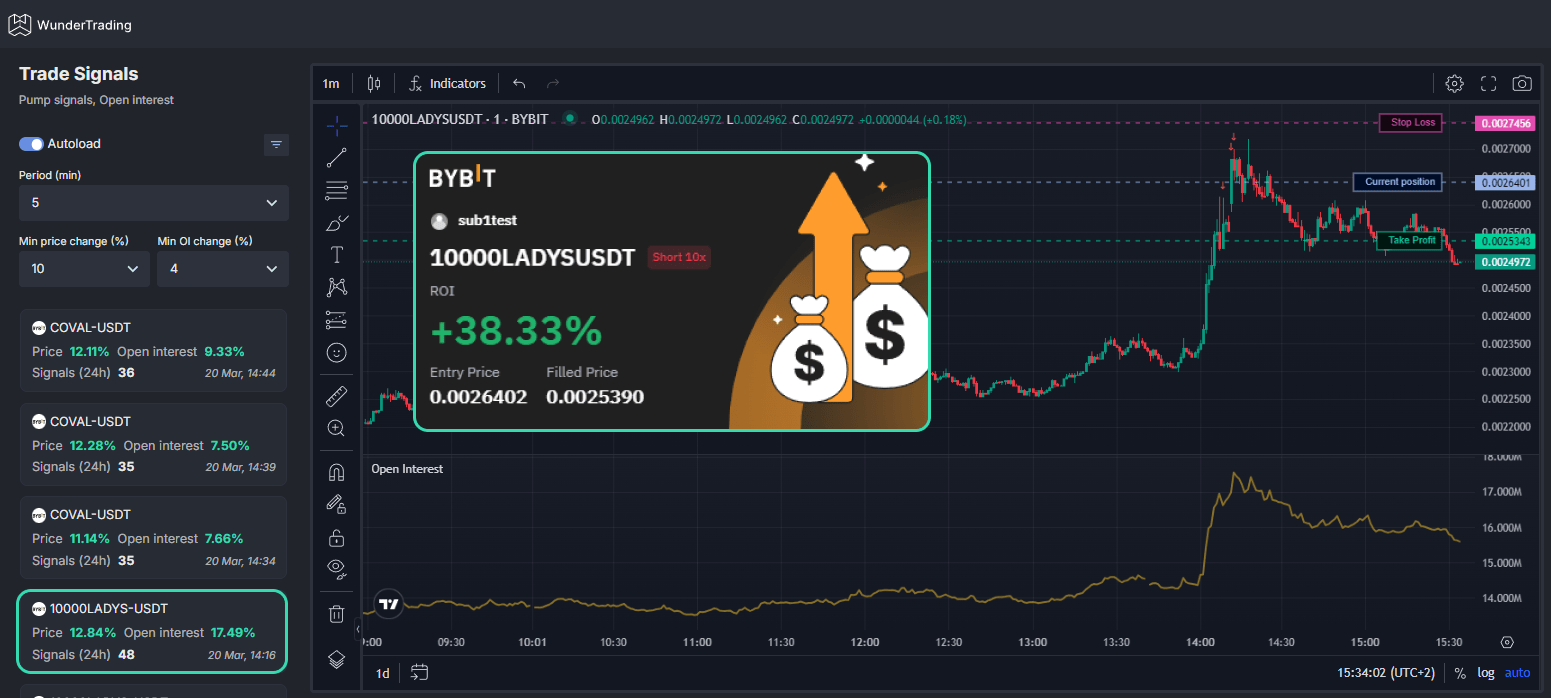
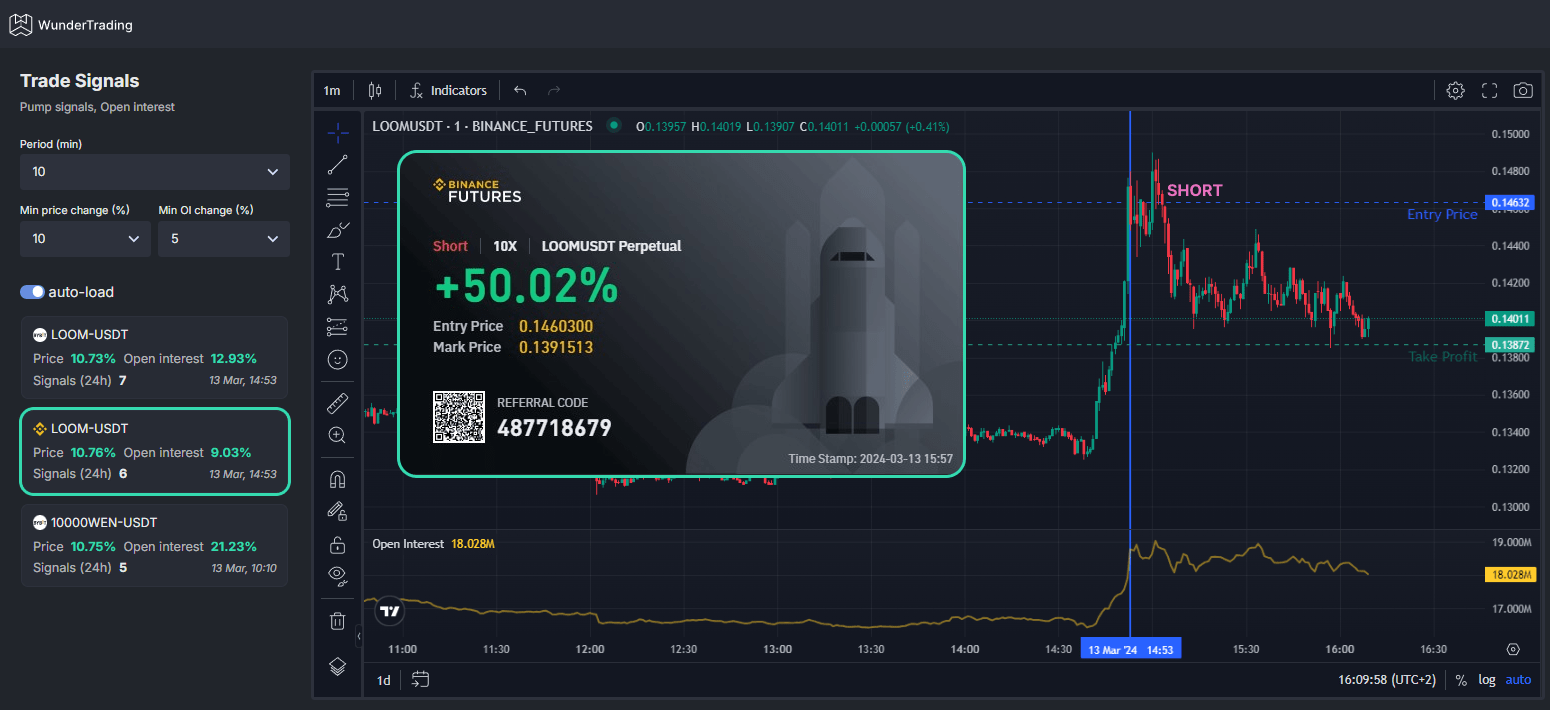
- Set your filters: Period - 15 mins, Price Change - 10%, Open Interest - 1%. This magic formula spots coins primed for a price retraction, allowing you to confidently enter a counter-trend short position.
- Prepare for scalping with precision by saving your position settings as a preset. For a $100 portfolio, consider four $25 entries. This strategy incorporates Dollar-Cost Averaging (DCA) for effective position scaling.
Settings for Optimal Entries:
- Amount per Trade: $25
- Take Profit: 4%
- Stop Loss: 4%
- Move Stop Loss to Breakeven: 2%
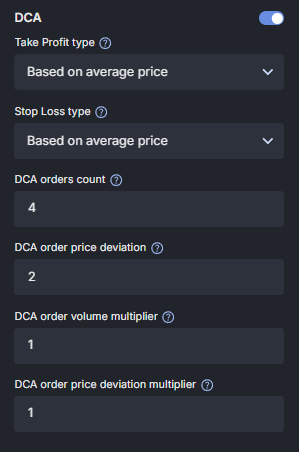
Optional DCA Settings:
- Take Profit type: Based on average price
- Stop Loss type: Based on average price
- DCA order count: 4
- Price deviation: 2
- Volume deviation multiplier: 1
- Price deviation multiplier: 1
If you apply these settings this is the result that you should see:
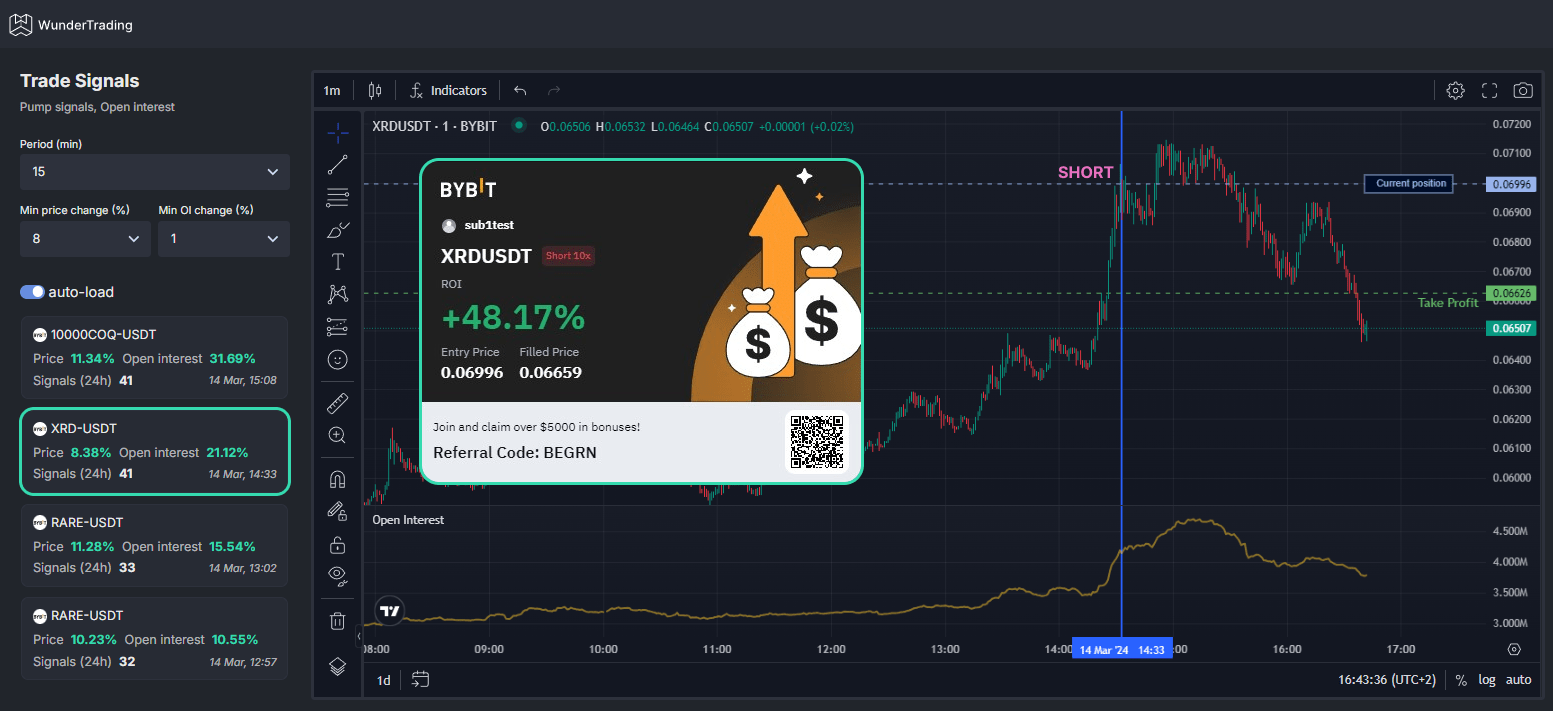
Ready to turn volatility into your victory?
Dive into Trading Signals today. It's simple and straightforward, and for those who prefer a test run, our paper-trading account awaits. Your next great trade is just a setup away.
WunderTrading is committed to providing tools that not only simplify your trading experience but also amplify your success through seamless automated crypto trading solutions. With Trading Signals, you're not just following trends; you're setting them. Join the vanguard of traders who know when to make their move, with WunderTrading at your side.
Disclaimer: Please note, the information provided in this post is not intended as financial advice. Trading cryptocurrencies involves a high level of risk and can result in substantial losses. We encourage all traders to conduct their own research and consult with a professional advisor before making any trading decisions. WunderTrading does not assume responsibility for any losses incurred based on the use of our Trading Signals or any other tools.